Capturing high-intent inbound inquiries on WhatsApp and manually transferring contact details into your CRM is slow, error-prone, and costs valuable revenue. When a prospective client reaches out on WhatsApp, their purchase intent peaks within the first five minutes. Delaying response times or asking repetitive, manual qualifying questions often leads to dropped conversations and lost opportunities.
By connecting n8n, the official Meta WhatsApp Cloud API, OpenAI (ChatGPT), and Zoho CRM, you can deploy an autonomous, 24/7 lead qualification agent. The bot answers customer questions directly from your markdown product knowledge base, extracts vital prospect data (Full Name, Email Address, and Phone Number), and instantly logs a qualified enquiry inside Zoho CRM Leads.
This complete, step-by-step tutorial walks you through setting up the external webhook endpoint in n8n, handling Meta's verification handshake, deploying a contextual ChatGPT assistant backed by a knowledge base file, and mapping lead data into Zoho CRM without writing complex backend applications.
Architecture Overview
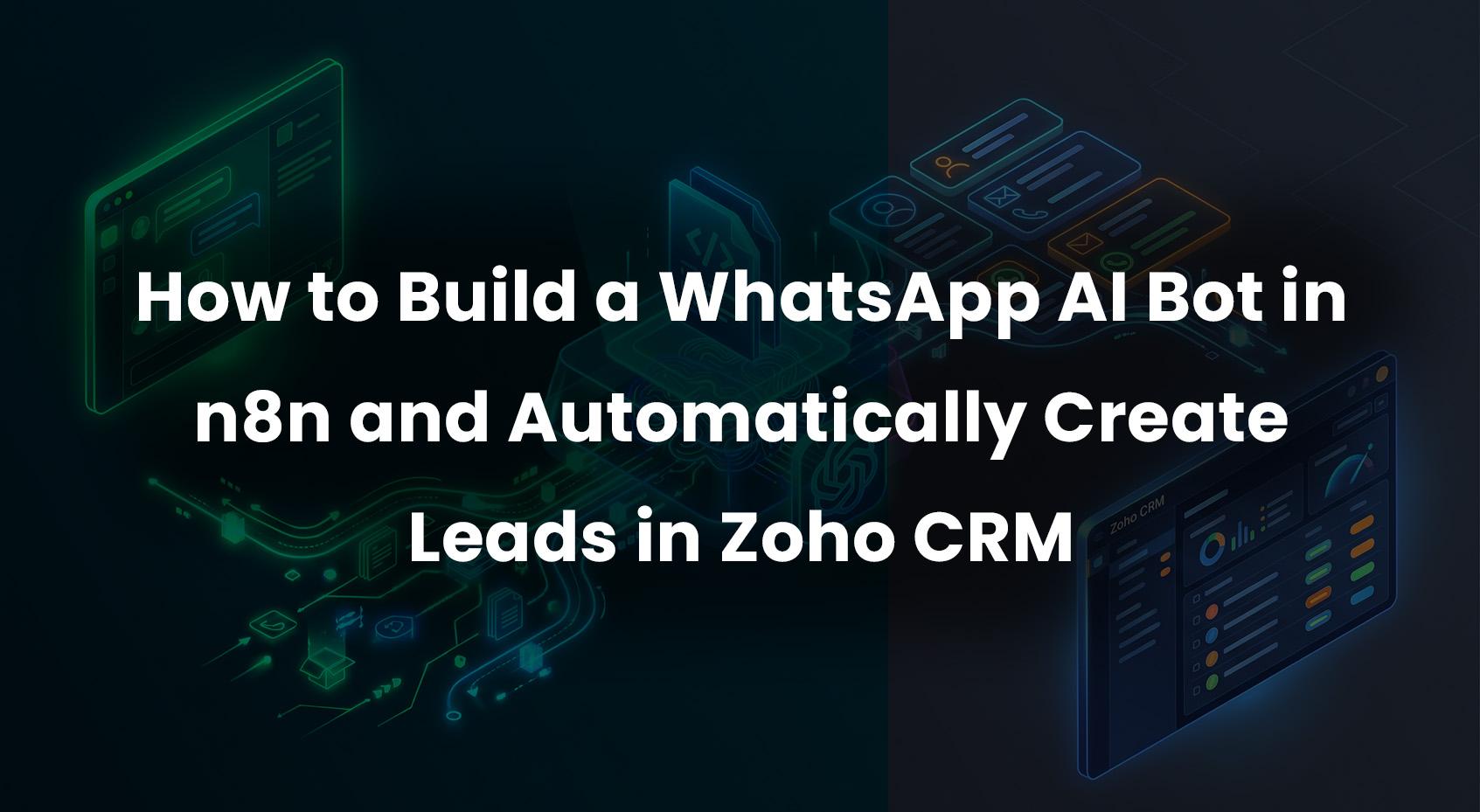
The system operates on an event-driven architecture designed to respect Meta's strict 15-second webhook processing limit while maintaining conversational context across multiple messages:
- Customer on WhatsApp: Sends a query, message, or request for information.
- Meta WhatsApp Cloud API: Dispatches a real-time HTTP POST event to your public n8n webhook URL.
- n8n Webhook Node: Immediately returns an HTTP 200 OK acknowledgment to Meta to prevent timeout retries.
- Knowledge Ingestion Node: Reads a local or hosted markdown (
.md) knowledge base file detailing your services, pricing, and qualification criteria.
- OpenAI ChatGPT Agent: Evaluates the inquiry against the knowledge base and determines if all required lead information (Full Name, Email, Phone Number, and Enquiry Details) is gathered.
- Conditional Router (If Node):
- If information is missing, triggers an instant WhatsApp reply asking the next natural qualifying question.
- If all contact fields are verified, routes the clean data to the Zoho CRM integration node.
- Zoho CRM Integration: Creates a new record in the Leads module with lead source set to "WhatsApp".
- Confirmation Dispatch: Sends a personalized confirmation message with an inquiry reference back to the user on WhatsApp.
Prerequisites
Before beginning the implementation, make sure you have the following assets ready:
- Self-Hosted or Cloud n8n Instance: Running n8n version 1.0 or higher.
- External HTTPS URL: A publicly accessible domain pointing to your n8n instance (e.g., via Cloudflare Tunnel, reverse proxy, or ngrok for local testing).
- Meta for Developers Account: With a registered App under the Business category and WhatsApp Cloud API configured.
- OpenAI API Key: With access to
gpt-4o or gpt-4o-mini.
- Zoho CRM Account: With administrative access to generate OAuth2 credentials (Client ID and Client Secret) or connect via n8n's native Zoho CRM OAuth credential.
Step 1: Expose n8n with an External URL for Meta Webhooks
The Meta WhatsApp Cloud API requires an externally reachable HTTPS endpoint with a valid SSL certificate. Meta will reject raw IP addresses, self-signed certificates, and unencrypted HTTP connections.
Configuring Your n8n External Webhook URL
Ensure your n8n environment variables define your public URL so that webhook URLs generated by n8n match what Meta accesses:
 WEBHOOK_URL=https://n8n.yourdomain.com/
 N8N_ENFORCE_SETTINGS_FILE_PERMISSIONS=true
If you are developing locally on Docker or a desktop machine, expose your port (default: 5678) using a secure tunnel such as Cloudflare Tunnel or ngrok:
ngrok http 5678
Copy the resulting HTTPS URL (e.g., https://your-tunnel-subdomain.ngrok-free.app) and use it as your base webhook URL.
Step 2: Configure the Webhook Node and Meta Verification Handshake
Meta requires a two-step webhook setup:
- Verification Request (GET): When you click "Verify and Save" in Meta Developer Dashboard, Meta sends a GET request containing
hub.mode, hub.verify_token, and hub.challenge. Your endpoint must validate the token and return the hub.challenge value as plain text with HTTP status 200.
- Event Notification (POST): When an end-user sends a WhatsApp message, Meta sends a POST request with the JSON payload. Your endpoint must acknowledge receipt within 15 seconds.
1. Create the Webhook Node in n8n
- Node Type: Webhook
- HTTP Method: Set to POST (or enable multiple methods for GET and POST)
- Path:
whatsapp-webhook
- Response Mode: Using 'Respond to Webhook' Node
2. Add an If Node for Meta Challenge Verification
Connect the Webhook node to an If node that validates the verification token sent by Meta:
{{ $json.query?.['hub.mode'] }} === 'subscribe' && {{ $json.query?.['hub.verify_token'] }} === 'YOUR_CUSTOM_VERIFY_TOKEN'
3. Return the Challenge (GET Handshake)
When the condition is true, route the execution to a Respond to Webhook node:
- Respond With: Text
- Response Body:
={{ $json.query['hub.challenge'] }}
- HTTP Code: 200
4. Acknowledge Incoming Events (POST Notifications)
When an incoming message arrives via POST, immediately branch to a Respond to Webhook node configured with:
- Respond With: Text
- Response Body:
EVENT_RECEIVED
- HTTP Code: 200
This guarantees that subsequent slow API calls (such as OpenAI generation or Zoho CRM lookups) will never cause Meta to trigger timeout retries or deactivate your webhook subscription.
Step 3: Parse Incoming WhatsApp Message Payloads
After acknowledging the webhook, parse the nested structure of Meta's payload. Incoming WhatsApp messages arrive under the entry[0].changes[0].value.messages[0] path.
Meta Cloud API Payload Structure
 {
   "object": "whatsapp_business_account",
   "entry": [
     {
       "id": "YOUR_WABA_ID",
       "changes": [
         {
           "value": {
             "messaging_product": "whatsapp",
             "metadata": {
               "display_phone_number": "15550001234",
               "phone_number_id": "YOUR_PHONE_NUMBER_ID"
             },
             "contacts": [
               {
                 "profile": {
                   "name": "Jane Doe"
                 },
                 "wa_id": "12345678901"
               }
             ],
             "messages": [
               {
                 "from": "12345678901",
                 "id": "wamid.HBgL...",
                 "timestamp": "1730000000",
                 "text": {
                   "body": "Hi, I would like to know pricing for enterprise cloud backup."
                 },
                 "type": "text"
               }
             ]
           },
           "field": "messages"
         }
       ]
     }
   ]
 }
Extraction Code Node
Add a Code node in n8n to normalize the incoming payload into clean variables:
 const body = $input.first().json.body || $input.first().json;
 const messageData = body.entry?.[0]?.changes?.[0]?.value?.messages?.[0];
 const contactData = body.entry?.[0]?.changes?.[0]?.value?.contacts?.[0];

 if (!messageData) {
   return [];
 }

 return [{
   json: {
     senderPhone: messageData.from,
     senderProfileName: contactData?.profile?.name || '',
     messageId: messageData.id,
     messageType: messageData.type,
     messageText: messageData.type === 'text' ? messageData.text.body : '',
     timestamp: messageData.timestamp
   }
 }];
Step 4: Configure the Knowledge Base (.md) and ChatGPT Agent
To ensure accurate responses without hallucinations, ground the ChatGPT model using a markdown (.md) file containing your company's product catalogue, pricing tiers, operational policies, and qualifying requirements.
Sample Knowledge Base File (business_knowledge.md)
Create this file and save it on your server or host path accessible by n8n:
 # Apex Cloud Solutions - Product & Sales Guide

 ## Products and Services
 1. **Cloud Backup Starter**:
    - Price: $49/month
    - Storage: 1TB encrypted storage, single-node backup, standard email support.
 2. **Enterprise Resiliency Suite**:
    - Price: $199/month
    - Storage: 10TB multi-cloud replication, zero-recovery-time SLA, dedicated account manager.

 ## Sales & Qualification Policy
 - To create a consultation or trial inquiry, collect the customer's Full Name, Business Email Address, and Phone Number.
 - If the customer does not provide an email address, politely request it before proceeding.
 - We support businesses in North America, EMEA, and APAC.
Ingesting the Knowledge Base in n8n
- Add a Read / Write Files from Disk node before the AI model:
- Operation: Read File
- File Path:
/data/knowledge/business_knowledge.md
- Output Property:
knowledge_content
- Add the OpenAI or AI Agent node configured with
gpt-4o-mini.
System Prompt Configuration
Configure the system prompt in your AI node to handle knowledge retrieval and lead extraction simultaneously:
 You are the official WhatsApp sales and inquiry assistant for Apex Cloud Solutions.
 Use the following markdown knowledge base to answer customer questions:

 {{ $json.knowledge_content }}


 Your responsibilities:
 1. Answer visitor questions politely and accurately using ONLY the knowledge base.
 2. If the user expresses interest in a demo, pricing quote, or consultation, collect their:
    - Full Name
    - Email Address
    - Phone Number (default to their WhatsApp sender phone number if verified)
    - Specific Enquiry Requirement
 3. If any detail is missing, ask for it naturally. Do not ask for all items in a robotic list.
 4. When ALL four fields (Full Name, Email Address, Phone Number, Enquiry) are known, generate your response in strict JSON format:
 {
   "lead_ready": true,
   "first_name": "Jane",
   "last_name": "Doe",
   "email": "[email protected]",
   "phone": "+12345678901",
   "enquiry_summary": "Inquiry regarding Enterprise Resiliency Suite pricing.",
   "chat_reply": "Thank you, Jane! I have registered your inquiry with our enterprise team. An account executive will contact you shortly."
 }
 5. If the lead is not complete, return:
 {
   "lead_ready": false,
   "chat_reply": "Your natural language response asking the missing question."
 }
Step 5: Filter and Route Lead Inquiries
Add an If node following the AI node to inspect whether all contact details have been collected:
{{ $json.lead_ready }} === true
- Branch False: The user has asked a general question or provided partial information. Route the
chat_reply directly to the WhatsApp Message Dispatch node to continue the conversation.
- Branch True: All required fields exist. Route the payload to the Zoho CRM Lead creation node.
Step 6: Create the Lead Enquiry in Zoho CRM
Zoho CRM organizes prospective buyers inside the Leads module. Creating a lead requires mapping standard attributes, with Last Name being a mandatory field in Zoho CRM schemas.
1. Authenticate Zoho CRM in n8n
- In n8n, navigate to Credentials > New Credential > Zoho OAuth2 API.
- Register a client in the Zoho Developer Console (
https://api-console.zoho.com).
- Scope required:
ZohoCRM.modules.leads.CREATE, ZohoCRM.modules.leads.READ.
- Connect and authorize your account.
2. Configure the Zoho CRM Node
Add the Zoho CRM node to the True output of your filter node:
- Resource: Lead
- Operation: Create
- Last Name:
={{ $json.last_name || 'Inquiry' }}
- First Name:
={{ $json.first_name }}
- Email:
={{ $json.email }}
- Phone:
={{ $json.phone }}
- Lead Source:
WhatsApp
- Company:
={{ $json.company || 'WhatsApp Lead' }}
- Description:
={{ $json.enquiry_summary }}
Direct HTTP Request Alternative (Zoho CRM API v6)
If you prefer using direct REST API calls, use the HTTP Request node in n8n:
- Method: POST
- URL:
https://www.zohoapis.com/crm/v6/Leads
- Authentication: Predefined Credential Type > Zoho OAuth2 API
- Body:
 {
   "data": [
     {
       "First_Name": "{{ $json.first_name }}",
       "Last_Name": "{{ $json.last_name }}",
       "Email": "{{ $json.email }}",
       "Phone": "{{ $json.phone }}",
       "Lead_Source": "WhatsApp",
       "Company": "WhatsApp Inquiry",
       "Description": "{{ $json.enquiry_summary }}"
     }
   ],
   "trigger": [
     "approval",
     "workflow",
     "blueprint"
   ]
 }
The "trigger": ["workflow"] array ensures any existing Zoho CRM auto-responder emails, lead-assignment rules, or sales-rep alerts execute immediately.
Step 7: Send Confirmation Messages via WhatsApp Cloud API
To complete the cycle, send an automated confirmation message back to the customer's WhatsApp account confirming their inquiry ticket.
Meta Graph API Call Configuration
Add an HTTP Request node in n8n:
- Method: POST
- URL:
https://graph.facebook.com/v21.0/YOUR_PHONE_NUMBER_ID/messages
- Headers:
Authorization: Bearer YOUR_META_PERMANENT_ACCESS_TOKENContent-Type: application/json
- Body Parameters:
 {
   "messaging_product": "whatsapp",
   "recipient_type": "individual",
   "to": "{{ $('Extract Message Data').item.json.senderPhone }}",
   "type": "text",
   "text": {
     "preview_url": false,
     "body": "{{ $json.chat_reply }}"
   }
 }
Complete n8n Workflow JSON Blueprint
You can import this complete workflow JSON into your n8n workspace via Workflows > Import from File / Clipboard:
 {
   "name": "WhatsApp Bot with AI Knowledge Base to Zoho CRM Leads",
   "nodes": [
     {
       "parameters": {
         "httpMethod": "POST",
         "path": "whatsapp-meta-webhook",
         "responseMode": "responseNode",
         "options": {}
       },
       "id": "node-webhook-meta",
       "name": "WhatsApp Webhook",
       "type": "n8n-nodes-base.webhook",
       "typeVersion": 2,
       "position": [200, 300],
       "webhookId": "whatsapp-meta-webhook"
     },
     {
       "parameters": {
         "conditions": {
           "options": {
             "caseSensitive": true,
             "typeValidation": "strict"
           },
           "conditions": [
             {
               "id": "cond-meta-verify",
               "leftValue": "={{ $json.query?.['hub.mode'] }}",
               "rightValue": "subscribe",
               "operator": {
                 "type": "string",
                 "operation": "equals"
               }
             }
           ]
         }
       },
       "id": "node-if-verification",
       "name": "Is Verification?",
       "type": "n8n-nodes-base.if",
       "typeVersion": 2.2,
       "position": [420, 200]
     },
     {
       "parameters": {
         "respondWith": "text",
         "responseBody": "={{ $json.query['hub.challenge'] }}",
         "options": {
           "responseCode": 200
         }
       },
       "id": "node-respond-challenge",
       "name": "Return Meta Challenge",
       "type": "n8n-nodes-base.respondToWebhook",
       "typeVersion": 1.1,
       "position": [640, 100]
     },
     {
       "parameters": {
         "respondWith": "text",
         "responseBody": "EVENT_RECEIVED",
         "options": {
           "responseCode": 200
         }
       },
       "id": "node-respond-ack",
       "name": "Acknowledge Event",
       "type": "n8n-nodes-base.respondToWebhook",
       "typeVersion": 1.1,
       "position": [640, 300]
     },
     {
       "parameters": {
         "jsCode": "const body = $input.first().json.body || $input.first().json;\nconst msg = body.entry?.[0]?.changes?.[0]?.value?.messages?.[0];\nconst contact = body.entry?.[0]?.changes?.[0]?.value?.contacts?.[0];\n\nif (!msg || msg.type !== 'text') {\n  return [];\n}\n\nreturn [{\n  json: {\n    senderPhone: msg.from,\n    senderName: contact?.profile?.name || '',\n    messageText: msg.text.body,\n    messageId: msg.id\n  }\n}];"
       },
       "id": "node-extract-payload",
       "name": "Extract Message Data",
       "type": "n8n-nodes-base.code",
       "typeVersion": 2,
       "position": [860, 300]
     },
     {
       "parameters": {
         "filePath": "/data/knowledge/business_knowledge.md",
         "options": {}
       },
       "id": "node-read-knowledge",
       "name": "Read Markdown KB",
       "type": "n8n-nodes-base.readWriteFile",
       "typeVersion": 1,
       "position": [1080, 300]
     },
     {
       "parameters": {
         "model": "gpt-4o-mini",
         "messages": {
           "values": [
             {
               "role": "system",
               "content": "=You are the sales assistant. Reference knowledge base:\n{{ $json.data }}\n\nExtract Full Name, Email Address, and Phone Number for enquiries.\nIf all contact details are known, reply strictly in JSON:\n{\"lead_ready\": true, \"first_name\": \"...\", \"last_name\": \"...\", \"email\": \"...\", \"phone\": \"...\", \"enquiry_summary\": \"...\", \"chat_reply\": \"...\"}\nOtherwise reply:\n{\"lead_ready\": false, \"chat_reply\": \"...\"}"
             },
             {
               "role": "user",
               "content": "={{ $('Extract Message Data').item.json.messageText }}"
             }
           ]
         },
         "jsonOutput": true
       },
       "id": "node-openai-chat",
       "name": "OpenAI ChatGPT Agent",
       "type": "n8n-nodes-base.openAi",
       "typeVersion": 1.4,
       "position": [1300, 300],
       "credentials": {
         "openAiApi": {
           "id": "YOUR_OPENAI_CREDENTIAL_ID",
           "name": "OpenAI account"
         }
       }
     },
     {
       "parameters": {
         "conditions": {
           "options": {
             "caseSensitive": true,
             "typeValidation": "strict"
           },
           "conditions": [
             {
               "id": "cond-lead-ready",
               "leftValue": "={{ $json.message?.content?.lead_ready || $json.lead_ready }}",
               "rightValue": true,
               "operator": {
                 "type": "boolean",
                 "operation": "equals"
               }
             }
           ]
         }
       },
       "id": "node-if-lead-complete",
       "name": "Is Lead Qualified?",
       "type": "n8n-nodes-base.if",
       "typeVersion": 2.2,
       "position": [1520, 300]
     },
     {
       "parameters": {
         "resource": "lead",
         "operation": "create",
         "lastName": "={{ $json.message?.content?.last_name || 'Lead' }}",
         "additionalFields": {
           "firstName": "={{ $json.message?.content?.first_name }}",
           "email": "={{ $json.message?.content?.email }}",
           "phone": "={{ $json.message?.content?.phone || $('Extract Message Data').item.json.senderPhone }}",
           "leadSource": "WhatsApp",
           "company": "WhatsApp Prospect",
           "description": "={{ $json.message?.content?.enquiry_summary }}"
         }
       },
       "id": "node-zoho-create-lead",
       "name": "Create Zoho CRM Lead",
       "type": "n8n-nodes-base.zohoCrm",
       "typeVersion": 1,
       "position": [1760, 200],
       "credentials": {
         "zohoOAuth2Api": {
           "id": "YOUR_ZOHO_CREDENTIAL_ID",
           "name": "Zoho CRM account"
         }
       }
     },
     {
       "parameters": {
         "method": "POST",
         "url": "https://graph.facebook.com/v21.0/YOUR_PHONE_NUMBER_ID/messages",
         "sendHeaders": true,
         "headerParameters": {
           "parameters": [
             {
               "name": "Authorization",
               "value": "Bearer YOUR_META_PERMANENT_ACCESS_TOKEN"
             },
             {
               "name": "Content-Type",
               "value": "application/json"
             }
           ]
         },
         "sendBody": true,
         "bodyParameters": {
           "parameters": [
             {
               "name": "messaging_product",
               "value": "whatsapp"
             },
             {
               "name": "to",
               "value": "={{ $('Extract Message Data').item.json.senderPhone }}"
             },
             {
               "name": "type",
               "value": "text"
             },
             {
               "name": "text.body",
               "value": "={{ $json.message?.content?.chat_reply || $json.chat_reply }}"
             }
           ]
         }
       },
       "id": "node-send-whatsapp",
       "name": "Send WhatsApp Reply",
       "type": "n8n-nodes-base.httpRequest",
       "typeVersion": 4.2,
       "position": [2000, 300]
     }
   ],
   "connections": {
     "WhatsApp Webhook": {
       "main": [
         [
           {
             "node": "Is Verification?",
             "type": "main",
             "index": 0
           }
         ]
       ]
     },
     "Is Verification?": {
       "main": [
         [
           {
             "node": "Return Meta Challenge",
             "type": "main",
             "index": 0
           }
         ],
         [
           {
             "node": "Acknowledge Event",
             "type": "main",
             "index": 0
           }
         ]
       ]
     },
     "Acknowledge Event": {
       "main": [
         [
           {
             "node": "Extract Message Data",
             "type": "main",
             "index": 0
           }
         ]
       ]
     },
     "Extract Message Data": {
       "main": [
         [
           {
             "node": "Read Markdown KB",
             "type": "main",
             "index": 0
           }
         ]
       ]
     },
     "Read Markdown KB": {
       "main": [
         [
           {
             "node": "OpenAI ChatGPT Agent",
             "type": "main",
             "index": 0
           }
         ]
       ]
     },
     "OpenAI ChatGPT Agent": {
       "main": [
         [
           {
             "node": "Is Lead Qualified?",
             "type": "main",
             "index": 0
           }
         ]
       ]
     },
     "Is Lead Qualified?": {
       "main": [
         [
           {
             "node": "Create Zoho CRM Lead",
             "type": "main",
             "index": 0
           }
         ],
         [
           {
             "node": "Send WhatsApp Reply",
             "type": "main",
             "index": 0
           }
         ]
       ]
     },
     "Create Zoho CRM Lead": {
       "main": [
         [
           {
             "node": "Send WhatsApp Reply",
             "type": "main",
             "index": 0
           }
         ]
       ]
     }
   }
 }
Production Best Practices
1. Permanent System User Access Token
Do not rely on the 24-hour temporary token displayed on the Meta Developer Portal's Getting Started screen. Create a System User inside your Meta Business Manager:
- Go to Business Settings > Users > System Users.
- Assign the
whatsapp_business_messaging and whatsapp_business_management permissions.
- Generate a permanent access token and store it securely inside n8n's Credentials store.
2. Manage the 24-Hour Customer Service Window
Meta Cloud API allows free-form session messages within 24 hours of the user's latest incoming message. If your team or bot responds after 24 hours, free-form text will fail with HTTP error 131047. In that scenario, you must send an approved Meta Template Message.
3. Lead Deduplication in Zoho CRM
To prevent duplicate records when an existing customer sends multiple WhatsApp inquiries:
- Use Zoho's
upsert API parameter or query existing leads by Email / Phone prior to creating a record.
- If a lead already exists, append a new Note or Task to the existing lead record rather than creating a duplicate.
Frequently Asked Questions (FAQs)
1. What is the difference between the WhatsApp Business App and WhatsApp Cloud API?
The WhatsApp Business App is designed for manual communication by single operators on mobile devices or desktop clients, limited to 4 linked devices. The WhatsApp Cloud API is Meta's enterprise developer interface that supports unlimited automated programmatic interactions, webhook delivery, AI bot integration, and multi-agent routing through automation platforms like n8n.
2. Why does Meta reject my n8n webhook URL during initial setup?
Meta validates webhook URLs in real time. Rejection typically happens because:
- The n8n endpoint is not publicly reachable over valid HTTPS.
- Your n8n workflow is deactivated or the Webhook node is not set to listen for GET requests.
- The verification token in Meta does not match your workflow logic.
- The workflow failed to return
hub.challenge as raw plain text with HTTP status 200.
3. How do I prevent Meta's 15-second webhook timeout error in n8n?
Meta terminates webhook connections if your server does not reply within 15 seconds. In n8n, set the Webhook node's Response Mode to Using 'Respond to Webhook' Node and place a Respond to Webhook node immediately after the trigger to return HTTP 200 (EVENT_RECEIVED). This decouples webhook acknowledgment from slower downstream operations like OpenAI inference or Zoho CRM updates.
4. How can I pass a markdown (.md) or PDF file to ChatGPT in n8n?
You can read local markdown or text files using n8n's Read / Write Files from Disk node and pass the binary or string output directly into the system message prompt of the OpenAI node. For large multi-page PDF documents, use n8n's LangChain Document Loader nodes combined with an in-memory vector store or Qdrant/Pinecone instance for Retrieval-Augmented Generation (RAG).
5. Can I test Meta WhatsApp webhooks in n8n on a local computer?
Yes. You can run n8n on localhost and expose port 5678 to the public internet using secure reverse tunneling tools like Cloudflare Tunnel or ngrok. Configure the resulting HTTPS URL as the WEBHOOK_URL in your n8n settings and supply it to the Meta Developer dashboard.
6. What permissions are required in Zoho CRM to create leads via API?
To create leads through the Zoho CRM API, your connected OAuth credential or Zoho API client must have the ZohoCRM.modules.leads.CREATE and ZohoCRM.modules.leads.READ scopes enabled. In addition, ensure the authenticating Zoho user profile has write permissions on mandatory fields such as Last Name.
7. How does the bot collect lead details if the user sends multiple fragmented messages?
By utilizing n8n's AI Agent node coupled with a Window Buffer Memory node (or an external Redis session store), the bot retains multi-turn conversational context. Each incoming message updates the conversation history, allowing the LLM to identify which fields (Full Name, Email, or Enquiry) remain incomplete and ask natural follow-up questions.
8. What happens if a customer sends an image or audio note instead of text?
Meta delivers media messages with distinct types (image, audio, document). In your payload parsing node, inspect msg.type. For voice notes (audio/ogg), you can fetch the media file from Meta Graph API using its media ID and transcribe it using OpenAI's Whisper model in n8n before passing the text to ChatGPT.
9. Can I replace OpenAI with open-source local LLMs like Ollama?
Yes. n8n natively provides an Ollama Model node. You can run open-source models such as qwen2.5-coder, mistral, or llama3.1 on your local hardware or VPS. Simply replace the OpenAI Chat Model sub-node with the Ollama node and configure your Ollama endpoint URL.
10. How much does it cost to run this WhatsApp to Zoho CRM automation on n8n?
Running this setup is cost-efficient:
- n8n: Free and unlimited when self-hosted on a modest VPS ($5 to $10/month).
- Meta WhatsApp Cloud API: First 1,000 service conversations every month are free; subsequent customer-initiated service conversations typically cost less than $0.01 each.
- OpenAI API: Utilizing
gpt-4o-mini costs roughly $0.0003 to $0.001 per inquiry.
- Zoho CRM: Supported on Zoho's Free and Standard subscription tiers.
Need Help Setting Up Your WhatsApp AI & CRM Automations?
Implementing enterprise-grade WhatsApp bots, real-time lead qualification workflows, and seamless CRM synchronizations can dramatically accelerate your sales pipeline and eliminate dropped opportunities. If you need expert assistance designing custom workflows, configuring private LLM agents, or integrating your tech stack, feel free to connect with me for specialized n8n services tailored to your business goals.