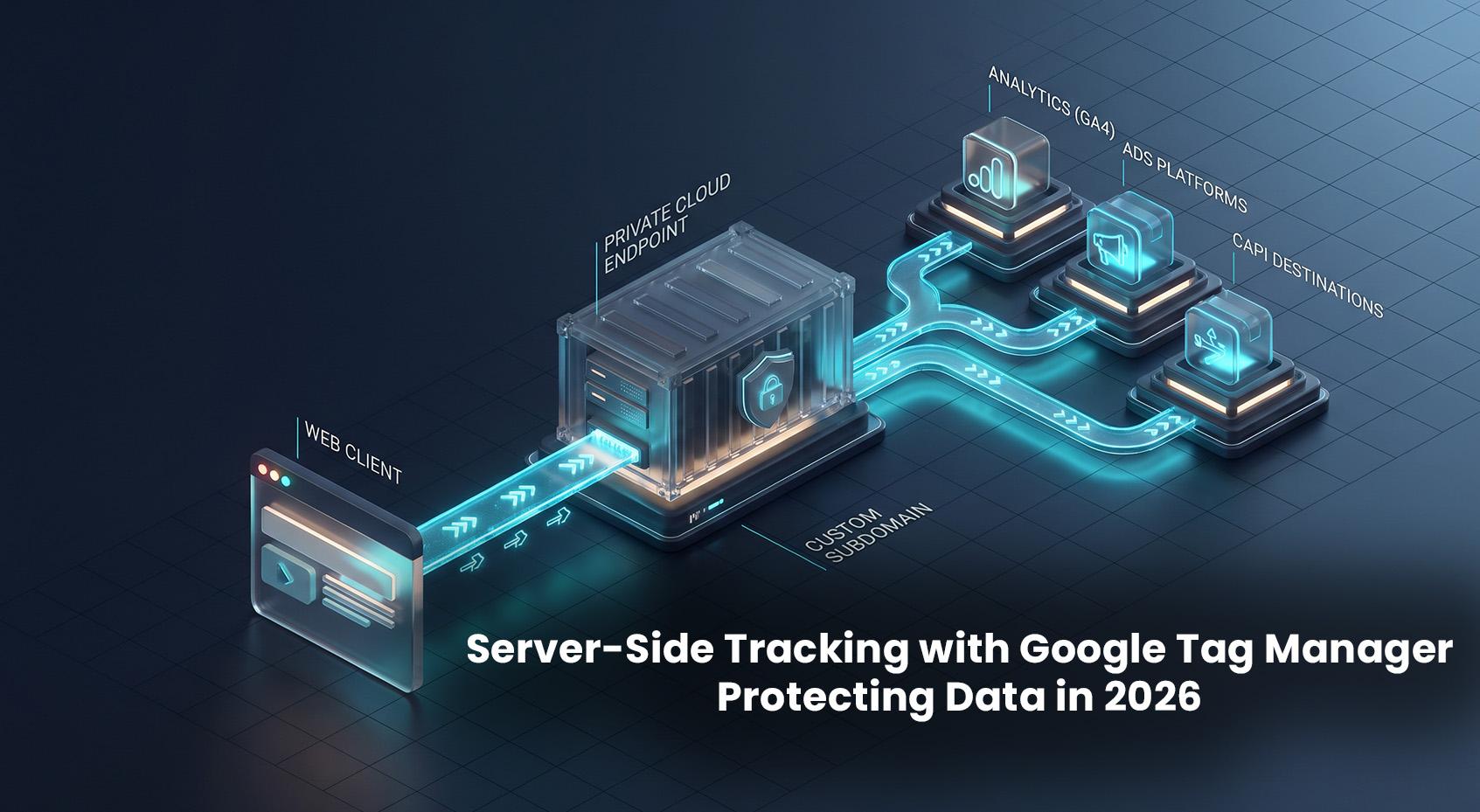
If your analytics have dropped because of Safari’s ITP, Firefox’s ETP, consent requirements, or users running ad blockers, server-side tracking with Google Tag Manager can help. In 2026, moving collection to your domain is the most reliable way to protect first-party data while staying privacy-first.
Executive Overview
Server-side GTM (the Google Tag Manager server container) runs a small tagging server on your cloud. Your website sends measurement hits to your own subdomain (for example, analytics.example.com), where you can enforce consent, remove personal data, and forward allowed events to destinations like GA4, Google Ads, and Meta Conversions API.
- What it solves: first-party data tracking, reduced impact of ad blockers, control over data leaving your site, better cookie durability, and faster pages.
- What it doesn’t solve: it doesn’t bypass consent laws or let you track users who opted out. It won’t magically fix poor data models.
- Who should use it: eCommerce, SaaS, publishers, and any site with meaningful paid media, attribution, or compliance needs.
What Is Server-Side GTM?
The Google Tag Manager server container is a managed endpoint (often on Google Cloud Run or App Engine) that replaces direct, client-to-vendor hits. Instead, your front end sends requests to your server container. Inside the container:
- Clients parse incoming requests (GA4, Google Ads, etc.).
- Tags fire to destinations (Analytics, Ads APIs, partner endpoints).
- Templates define how data is read, transformed, and sent.
Because your endpoint lives on your own domain, common filter lists are less likely to block it, and cookies set by the server are first-party. This supports privacy first analytics while improving data quality.
Architecture at a Glance
Browser/app → analytics.example.com (GTM server container) → GA4 / Google Ads / BigQuery / Meta CAPI / other tools.
The server container enforces consent and transformations before forwarding only the allowed, minimized data.
Quick Comparison
| Dimension |
Client-Side GTM (Web) |
Server-Side GTM (Server) |
| Domain |
Third-party endpoints |
First-party custom subdomain (e.g., analytics.example.com) |
| Ad Blockers Impact |
High |
Lower (first-party path), still respect user choices |
| Privacy Controls |
Limited in-browser |
Centralized transformations, consent enforcement |
| Cookie Durability |
JavaScript-set (often shortened by ITP) |
Server-set first-party cookies (often more durable; still policy-bound) |
| Performance |
Multiple vendor scripts in the browser |
Fewer client scripts; server forwards hits |
| Cost |
Free (tooling) |
Cloud hosting + maintenance |
Step-by-Step: How to Implement Server-Side GTM
1) Plan Your Data and Consent
- List events you need (for example: page_view, view_item, add_to_cart, purchase).
- Define which events fire under which consent states (ad_storage, analytics_storage, functionality_storage, security_storage).
- Identify fields that must be removed (email, phone, full name, free-text forms). You must not send PII to analytics destinations.
How to Fix It: implement Google Consent Mode v2 in your web container. Set default denied until user action, then update consent.
 <script>
   window.dataLayer = window.dataLayer || [];
   function gtag(){dataLayer.push(arguments);}
   gtag('consent', 'default', {
     'ad_storage': 'denied',
     'analytics_storage': 'denied',
     'functionality_storage': 'granted',
     'security_storage': 'granted'
   });
 </script>
2) Create a Google Tag Manager Server Container
- In GTM, create a new container of type Server.
- Use the setup wizard to deploy to Google Cloud Run or App Engine. Choose a region close to your users.
Tip: Cloud Run with autoscaling is a popular 2026 choice for cost and performance.
3) Map a Custom Subdomain
- Decide on a neutral subdomain (for example: data.example.com or analytics.example.com).
- Follow the GTM wizard to verify the domain and create DNS records (typically A/AAAA to a Google-managed load balancer or a provided target; your wizard will show exact values).
- Wait for DNS to propagate and confirm HTTPS works.
Why this matters: first-party endpoints reduce ad-blocker hits and allow server-set cookies with secure attributes.
4) Configure Clients in the Server Container
- GA4 Client: enables the server to receive and parse GA4 hits.
- Google Ads Client: parses Google Ads conversion pings if you route them.
- Optional: dedicated clients or custom client for other inbound formats.
5) Wire Your Web Container to the Server
- In your GA4 Configuration tag in the web container, set the Server Container URL (or transport_url) to your subdomain.
 // Example: in GTM Web, GA4 Config - Fields to Set
 transport_url = https://analytics.example.com
 first_party_collection = true
This routes measurement to your server container, which then forwards allowed data to GA4 and others.
6) Set Durable First-Party Cookies (Server-Managed)
Configure the server container to set an FPID (and optionally FPLC) cookie via HTTP response headers. Use Secure, HttpOnly, and SameSite settings that match your needs.
Note: Cookie lifetimes are still subject to browser policies (especially Safari). Server-set cookies generally fare better than JavaScript-set cookies, but don’t promise indefinite lifetimes.
7) Add Destinations: GA4, Ads, and CAPI
- GA4 Tag (Server): forward events to your GA4 property. Respect consent signals.
- Google Ads (Server): send conversions and enable Enhanced Conversions (hashed) when consented.
- Meta CAPI: add a vetted template in the server container or build a custom HTTP tag. Verify event IDs deduplicate with pixel fires.
Best Practice: only send hashed identifiers (SHA-256) when you have explicit consent. Don’t send raw PII.
8) Enforce Privacy and Data Minimization
- Strip PII: use server-side templates or transformations to remove emails, phone numbers, and free-text before any outbound tag fires.
- IP Handling: don’t forward IP addresses to non-essential destinations. GA4 doesn’t expose IP anyway; avoid logging IPs in your server except where legally required.
- Consent Forwarding: ensure Consent Mode state is forwarded and mapped to destination settings.
9) Test and Validate
- Use Preview in the server container to inspect requests, events, and tag dispatch.
- Check the browser Network panel: calls should hit your subdomain (for example, /g/collect for GA4).
- Validate deduplication (same event_id) between web pixel and server events for Ads/CAPI.
10) Control Cost and Performance
- On Cloud Run: allow high concurrency, set min instances to 0 or a low number, and choose a region close to traffic.
- Avoid heavy enrichment in the request path. Keep server-side templates lean.
- Log only what you need. Consider sampling for debugging.
Real-World Playbooks
eCommerce
- Route GA4 and Ads conversions through the server container with consent-aware enhanced conversions.
- Use server-set FPID to stabilize attribution on Safari without over-collection.
- For Meta, send purchase and high-intent events via CAPI with event_id matching the pixel.
SaaS Trials
- Forward sign-up and activation events to GA4 and Ads. Hash emails only with consent.
- Attach server timestamps to improve deduping and measure funnel steps more accurately.
Publishers
- Use the server container to enforce paywall event rules and forward only aggregated signals.
- Store only anonymous or pseudonymous IDs with clear retention policies.
Reduce the Impact of Ad Blockers (Ethically)
Server-side GTM can bypass ad blockers analytics in the sense that first-party endpoints are less likely to be filtered. That said, you must honor consent and respect user preferences.
- Use a neutral subdomain and avoid obvious paths like /collect if you see targeted blocking. A neutral path like /data/i is fine.
- Don’t fingerprint or attempt to track users who opted out. It’s both unethical and risky.
- Document your choices in your CMP and privacy policy.
Common Pitfalls to Avoid
- No custom domain: still sending hits to third-party endpoints limits the benefit.
- Duplicate events: if web and server both send to the same destination without deduplication, you’ll inflate metrics. Use consistent event_id.
- Missing consent mapping: firing server tags regardless of consent can create compliance exposure.
- PII leakage: URLs often contain emails from UTM or form params. Strip them at the server layer.
- Over-enrichment: long-running lookups in the request path can slow responses and raise costs.
Performance and Reliability Tips
- Cache static responses (for example, proxying gtag.js if you choose) off the hot path or use a CDN.
- Monitor 95th/99th percentile latency. Keep the server endpoint under ~150–200ms for most geographies.
- Version control templates and test in staging before promoting to production.
Security and Governance
- Template hygiene: prefer official and well-reviewed community templates. Audit code before use.
- Least privilege: restrict GTM access by role; enable 2FA and audit logs.
- Data retention: don’t keep request logs longer than needed. Mask IPs if you don’t need them.
- Origin filtering: in custom clients, you can reject suspicious requests by inspecting headers and referrers.
Future Outlook: 2026 and Beyond
Third-party cookies are being deprecated in Chrome, and Privacy Sandbox APIs continue to evolve. Server-side GTM complements this shift by strengthening first-party collection and consent enforcement. Expect:
- Greater reliance on modeled conversions (Consent Mode and platform modeling).
- Closer alignment between server-side events and ad platforms to maintain attribution with user permission.
- More vendor-supported server tags, reducing the need for custom HTTP work.
Strategy: keep your first-party endpoint, consent signals, and event taxonomy clean. That foundation won’t go out of date.
FAQ
Does server-side GTM bypass ad blockers?
It reduces the impact because hits go to your first-party subdomain instead of well-known vendor domains. It doesn’t override consent or lawfully granted user choices. You should still respect opt-outs.
Is server-side GTM compliant with GDPR/CCPA?
It can be. Compliance depends on your implementation: use Consent Mode, strip PII, avoid unnecessary identifiers, and document your data flows. Server-side gives you the tools to enforce this centrally.
How much does it cost?
You’ll pay for cloud hosting (typically Cloud Run or App Engine). Costs vary with traffic and configuration. Control spend with autoscaling, high concurrency, and lean templates. Many mid-size sites operate comfortably at modest monthly costs.
Do I need developers?
You can deploy the managed server with minimal code, but a developer/analyst usually helps with DNS, consent mapping, deduplication, and PII protection. Treat it as a small infrastructure project.
Final Thoughts
If you rely on accurate analytics and ad measurement, moving to a Google Tag Manager server container is one of the most practical 2026 upgrades you can make. You’ll protect first-party data, respect privacy, and stabilize conversion tracking even as browsers change.
Need help implementing server side GTM? I set up server containers (Cloud Run), consent-safe GA4 and Ads integrations, Meta CAPI, and PII protections for teams that need reliable, privacy-first analytics. Get in touch for a quick technical review and rollout plan.